 LostHub

Lost & found · coming to 17 countries
Lost something?
Someone may have found it.
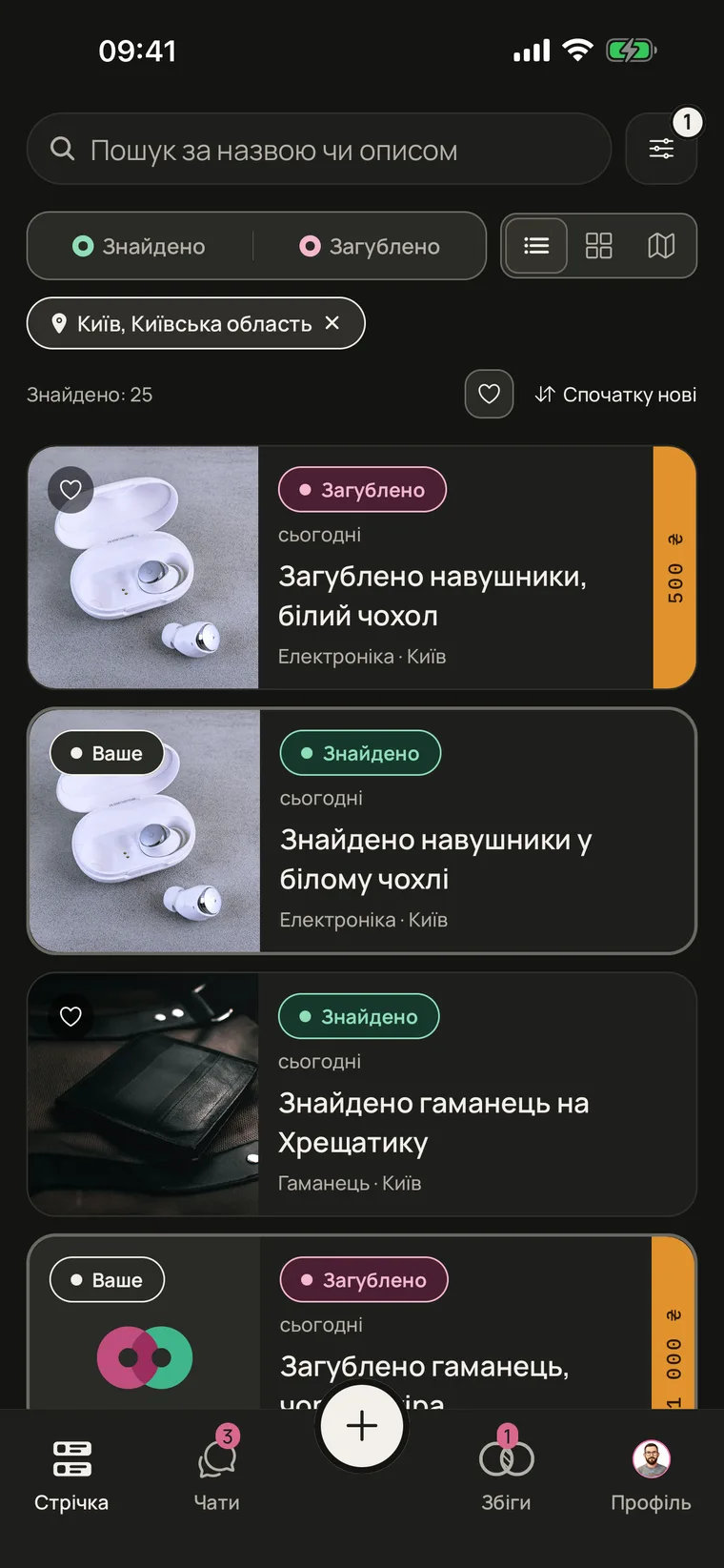
Post what you lost or found. LostHub finds matching listings nearby and lets you talk safely in the app.



Free · Sign in with Apple or Google
How it works
Three steps.
No paperwork.
- 01
Post it in a minute
What it is, a photo and roughly where. Lost or found — the form is the same.
- 02
Get a match
LostHub compares your post with listings nearby and tells you when one looks like yours.
- 03
Get it back
Answer the secret question if the listing has one, then talk in a private chat and agree on a safe place to meet.
Safety
Ask what
only the owner knows.
- 01
Only the owner knows the answer
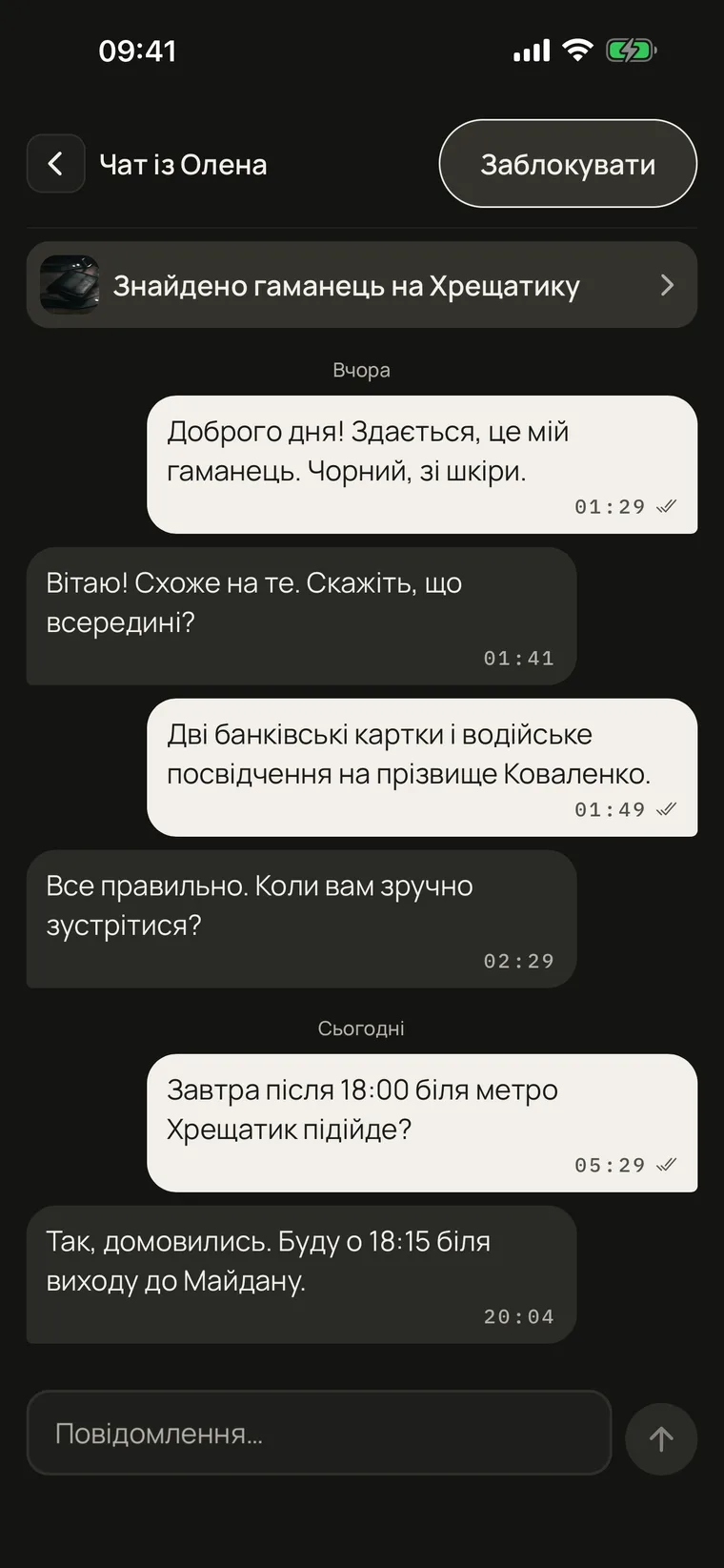
The finder can ask something only the owner would know — what is on the keyring, what is inside the wallet. The chat opens only after the right answer.
- 02
Documents stay hidden
A listing for a passport or ID shows only the kind of document, the city, the date and initials. Its photos and details stay hidden from the public, and full card numbers are refused in any listing.

In-app chat
Agree where to
meet.
- AnnaHi! I think you found my keys.
- MarkWhat's on the keyring?
- AnnaA small red bike tag.
- MarkThat's them! Can I call you to agree on a place?
- AnnaSure: +44 7700 900123
✓ Marked as returned
Phone numbers are not allowed in listings: you share yours in the chat, only with the person you are talking to.
Where we're launching
Launching
across Europe.
- ATAustria
- BEBelgium
- CZCzechia
- FRFrance
- DEGermany
- IEIreland
- ITItaly
- LULuxembourg
- MDMoldova
- NLNetherlands
- PLPoland
- PTPortugal
- RORomania
- ESSpain
- CHSwitzerland
- UAUkraine
- GBUnited Kingdom
Guide
Practical steps,
in any country.
How to find a lost item
The order that works for anything: the first half hour, searching, a listing, staying safe.
Lost your wallet
What to block first, where to look and how to describe a wallet so people recognise it.
Lost your phone: what to do
Remote search, lost mode, blocking the SIM, the IMEI and the "your device has been found" scam.
Free on iPhone and Android
Free, and ready
when you need it.